
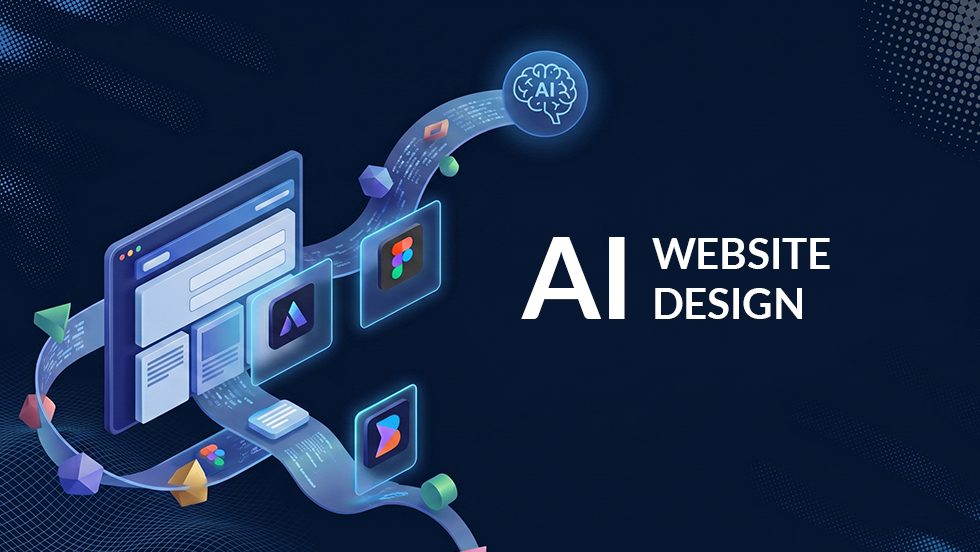
The conversation around how businesses build websites is beginning to shift. An increased number of businesses and creators are turning toward generative platforms, attempting to launch full websites using a single text prompt.
While the concept of ai web design sounds incredibly efficient, there is a massive gap between a fast AI prototype and a stable, high-converting website that actually ranks on search engines.
If you are curious about how to use ai for web design, it helps to understand what these tools do best, where they completely fail, and why a human-driven foundation like WordPress remains the gold standard for real business results.
The Rush Toward AI Web Design
We are witnessing a major shift in how people approach web projects. According to recent design data, over 72% of designers now integrate generative AI utilities into their regular development workflows.
For small business owners, the appeal is obvious: instead of spending weeks planning structures, writing placeholder copy, and drafting wireframes, they can use tools to output a visual layout in under five minutes.
However, using artificial intelligence to brainstorm a concept is entirely different from letting an algorithm manage your absolute most valuable digital asset.
The Core Benefits of Using AI for Web Design
When treated as an assistant rather than a replacement for human strategy, AI offers several distinct advantages that can dramatically accelerate early-stage web projects:
- Instant Structural Mapping: Tools can parse a brief description of your company and instantly generate an organized website sitemap, establishing a logical page hierarchy in seconds.
- Rapid Wireframing: Instead of starting with a blank white canvas, AI tools can instantly convert a text sitemap into un-styled page layouts with functional buttons, headings, and section frameworks.
- Eliminating Placeholder Text: Built-in language utilities can generate contextual draft copy to replace standard, generic “lorem ipsum” filler text, giving stakeholders a much clearer picture of the final page design.
The Massive Challenges of Fully AI-Generated Sites
While AI is great for generating initial drafts, letting a text-to-website generator build your actual production site comes with severe operational risks:
1. The “Total Redesign” Trap
The biggest flaw with fully automated AI website builders is a complete lack of granular editability. If you want to make a simple adjustment to a single text box or change an icon layout a month after launch, the AI engine will often regenerate the entire page structure to execute the edit. This sudden shift completely breaks your visual consistency, scrambles your spacing, and ruins your established layout hierarchy.
2. Broken Code and Zero Scalability
AI-built sites generally output messy, unoptimized front-end code. The layouts lack proper responsive breakpoints for mobile devices, ignore essential web accessibility guidelines, and cannot connect to robust internal backends like advanced client booking portals or specialized e-commerce databases.
3. The Visual Sameness Problem
Because AI models are trained on existing web templates, their outputs are fundamentally derivative. They rely on highly predictable, cookie-cutter layouts. Your website will end up looking nearly identical to hundreds of other companies in your industry, instantly killing your brand differentiation.
How Google Views AI Content: Avoiding “AI Slop”
If your goal is earning organic traffic, you have to be incredibly careful with how you deploy AI text on your pages. Google’s core algorithm updates are strictly designed to identify and demote unoriginal, automated content, frequently referred to as AI Slop.
AI Slop is characterized by generic, fluff-heavy writing that uses automated giveaway phrases like “in today’s fast-paced digital world” or “unleash your business’s true potential.”
Google does not explicitly penalize text just because an AI helped write it, but it will drastically drop your visibility if that content lacks human oversight, original data, or real authority. To survive in search, you cannot let AI do the thinking for you. Every line of copy must be refined by a skilled writer to ensure it targets real human needs first.
The Best AI Web Design Tools to Use Today
The smartest way to build a modern website is a hybrid approach: use elite AI utilities to handle early-stage planning and production handoffs, then execute the final build inside a professional environment.
Here are the tools driving the industry forward:
Relume AI: The undisputed leader for early-stage project planning. Relume uses AI to turn text descriptions into clean website sitemaps and low-fidelity structural wireframes that map out your exact page flow before you commit to coding.
Figma AI (Figma Make & First Draft): Figma’s built-in AI suite allows teams to draft multi-screen interface concepts, automatically rename cluttered layers, and rapidly prototype responsive UI components directly inside a professional canvas.
Builder.io (Visual Copilot): A highly specialized design-to-code utility that converts clean Figma layouts directly into structured, production-ready code components for engineering handoffs.
Why We Build on WordPress
While we leverage advanced AI planning tools to handle initial asset generation and speed up project scopes, Biondo Creative builds our final, production-ready client projects on WordPress.
We choose WordPress because it eliminates all the severe limitations of closed AI platforms:
- Complete Stability: Your website design is locked exactly how you want it. Making a text edit or adding a new service page won’t suddenly break the rest of your layout.
- Unmatched Flexibility: Unlike rigid AI page generators, WordPress gives you complete access to the underlying code. You can scale your site infinitely, connecting to any custom CRM, payment processor, or trade booking engine your business requires.
- Native SEO Dominance: WordPress features clean site architecture and total compatibility with advanced schema markup and technical SEO toolsets, ensuring your business is perfectly optimized to rank inside traditional search and modern AI Overviews alike.
Frequently Asked Questions
What is AI web design?
AI web design refers to using generative artificial intelligence tools to automate various parts of the website creation lifecycle. This can range from high-level text-to-sitemap tools to advanced plugins that assist with copywriting, layout generation, and front-end asset drafting.
Can an AI completely design and build a functional website?
It can generate a superficial, basic website template very quickly, but it cannot deliver a secure, fully functional, and highly scalable online presence. Automated AI platforms lack the strategic contextual understanding needed to map out conversion funnels, secure clean database connections, and satisfy technical search requirements.
Is WordPress better than an AI website builder?
Yes. WordPress provides permanent ownership of your source files, absolute control over layout edits, rock-solid security, and superior technical SEO tools. AI builders are fine for quick inspiration, but WordPress is built to scale real businesses.
Build a Future-Proof Online Presence
Artificial intelligence is an incredible ally for streamlining workflows, but it cannot replace human creativity, technical expertise, and principal-led strategy. If you want to leverage the speed of modern tools without sacrificing the performance and safety of your brand, let’s build your digital presence the right way.
Ready to upgrade your web design? Take a closer look at our Professional Web Design Services or contact the team at Biondo Creative today at 267-362-9321 to schedule an architectural consultation.